
Plan the shape of the show
More context than a list of song names.
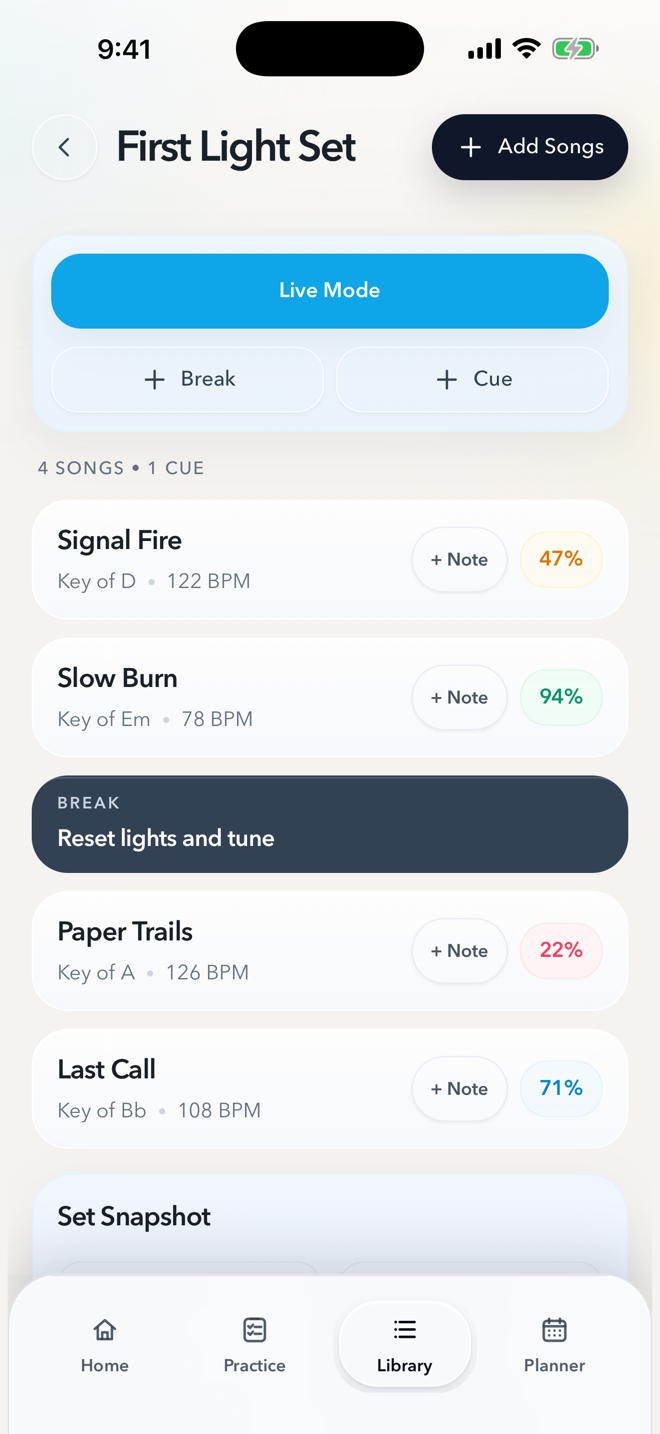
An ordered list tells you what comes next. Keys, tempos, notes, and charts help you play it. Build a setlist from your song library and arrange the running order without copying the song details into a separate document. Readiness stays visible while you plan, so an uncertain song can get attention before the gig.
Add cues and breaks where the band needs them. In the example above, “Reset lights and tune” sits between Slow Burn and Paper Trails. That pause is part of the show’s plan, alongside the songs, rather than a detail someone has to remember at the last moment.
From a rehearsal set to a gig set.
Choose the songs and the order.
Start from the library you already use for practice. Check keys and tempos, arrange the set, and use notes for the details that matter to this performance.
Make space for the transitions.
Put cues and breaks in the running order. A tuning pause, a lighting reset, or a short introduction can be planned between songs so the band has the same reference.
Open Live Mode when it is time to play.
Move from editing the set into a focused performance view. Keep the current song, the next song, charts, and the click within reach as you work through the show.
Live Mode
See what you need for the next song.
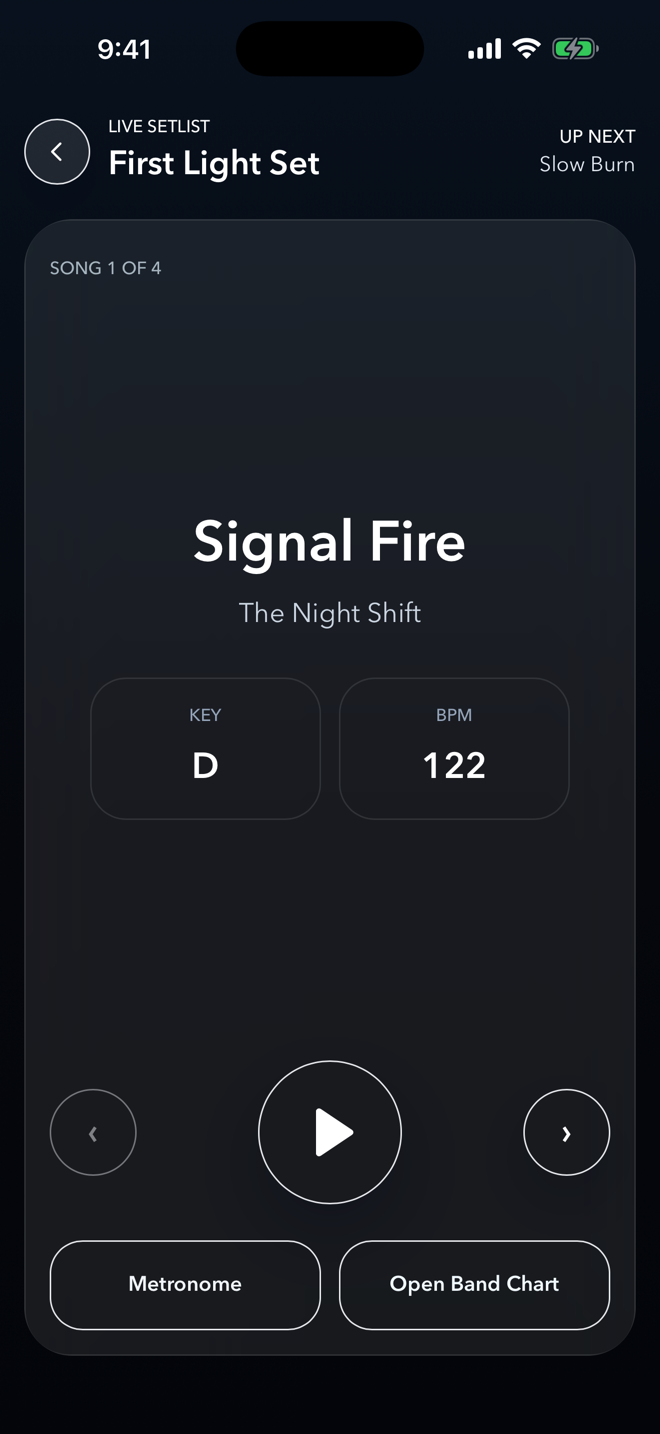
Live Mode brings the current song’s key and tempo together with chart and metronome controls, plus a view of what comes next. Each musician uses their own device and can use the chart that works for them.
If the band changes the set, version 1.2 lets you apply setlist changes in Live Mode when you are ready, including while a chart is open. The shared plan supports the performance; it does not remotely advance everyone’s screen.
Shared for the band. Separate for your projects.
Signed-in Band workspaces keep shared setlists, songs, and charts in sync. Personal charts remain available alongside the band’s shared chart. For your own repertoire or a separate music project, the Personal workspace has its own songs and setlists.
Locked In is free to download, with optional in-app purchases. Personal Pro expands Personal use; Band Pro expands one selected band workspace for its members. You can find the current options on the App Store.